How It Works Features Visual Guide Pricing FAQ
Get Started Free
Network-Level Speed · Auto-Booking · Relay Platform

Stop Watching the Load Board.
Set the Autobook.

Set your rates, your routes, and your schedule — then walk away. Load found. Phone rings. Already booked. Prohauling Relay books the right loads automatically, overnight, while you sleep. You just drive.

See Pricing
no credit card, seriously

No credit card required  ·  7-day free trial  ·  Cancel any time

Already installed? See Getting Started →

relay.com/loadboard
Prohauling RelayMonitoring active
LIVE
$2,840
Chicago, IL → Dallas, TX  ·  487 mi
$5.82/mi Dry Van IL origin Meets filters
Auto-booking in
0:05
BOOK NOW

Everything on one screen.
Running 24/7.

The most powerful load monitoring tool built for owner-operators, dispatchers, and trucking companies.

Auto Book
Scans continuously and books matching loads automatically across up to 5 independent slots — each with its own pay, route, trailer type, and schedule rules. No clicking, no waiting.
📱
Instant Notifications
The moment a load is booked, drivers get a Telegram message + automatic voice call. Confirm or cancel with one tap.
👥
Built for Fleets
Manage unlimited drivers, each with their own trailer, phone, and language. One active driver per session.
🎯
Smart Filtering
Min $/hr, AI Score, deadhead check, and duplicate detection — only the right loads get through.
🛡️
Ban Protection
Random refresh intervals mimic natural browsing. Auto-pause when idle, auto-resume when you're back.
🌎
English & Spanish
Driver notifications sent in each driver's preferred language — automatically.

Everything you need to get started

47 seconds average book time
9 filter dimensions every load checked simultaneously
7 days free no card, no catch
0
Filter Dimensions
0
Alert Channels
0
Schedule Windows
0
Color Themes
0
Days Free Trial

See it first. Book it first.

By the time most extensions even see a load, it's already gone — someone else's phone rang. Prohauling Relay grabs the raw data the instant it arrives at your machine, before the page even starts to paint.

Other Extensions
The Slow Way
1
New load data arrives at your computer
2
The page has to fully load before anything can happen
3
The extension reads the load info off the finished page
4
Finally checks if the load matches your settings
✕ By the time it reads the load, other drivers already booked it
VS
Prohauling Relay
The Fast Way
1
New load data arrives at your computer
2
Prohauling Relay picks up the load data instantly — before the page even starts loading
3
Checks your filters in less than a second
4
Books the load while other extensions are still waiting for the page to load
✓ You get the load before anyone else even sees it

Everything a serious carrier needs

Built by carriers, for carriers. No fluff — just the tools that put money in your pocket.

4-Step Auto-Booking Engine
When a matching load appears, the engine opens it, waits your countdown, and confirms the booking — all without you touching anything. Fast Book mode skips the confirmation step entirely, getting you the load in the shortest time possible.
🎯
9-Dimension Real-Time Filtering
Every incoming load is evaluated against 9 filter criteria simultaneously: minimum total payout, minimum $/mile, maximum distance, origin states, destination states, equipment type, platform AI score (0–100), minimum pay/hour, and duplicate suppression. A load must pass every active filter before any action is taken.
📲
5-Channel Alert System
All five channels fire simultaneously on a qualifying load: audio alert (custom sound library), voice synthesis (speaks payout, route, rate out loud), Telegram message to your phone, visual overlay banner on the load board, and flash animation on the load card. Never miss a load whether you're watching the screen or not.
📅
Schedule & Shift Hours
Define up to 5 time windows per week. Auto-booking activates only during your configured shift hours. Outside your schedule, the monitor still watches and alerts — it just won't book without you.
👥
Fleet & Multi-Driver Management
Running a small fleet? Create independent driver profiles, each with its own filter set, Telegram target, alert preferences, and schedule. Switch between drivers in one click.
🔌
Reads Data Before It Hits the Screen
Prohauling Relay captures load data the instant it's downloaded — before it even appears on the page. That's why it's faster than any tool that waits for the page to load. Visual changes to the load board have zero effect on how it works.
🌟
25 Themes & Spanish Support
Choose from 25 color themes to match your style. Full English and Spanish language support throughout the interface — for drivers and dispatchers who work in both.

Three steps to hands-free hauling

01
Install & Configure
Add Prohauling Relay to Chrome. Enter your license key, set your minimum payout, preferred lanes, equipment type, and the schedule windows you want to work. Takes about five minutes.
02
Extension Monitors 24/7
Open the load board and leave it running. Prohauling Relay intercepts every API response in the background — scanning new loads the instant they appear, around the clock.
03
Best Loads Get Booked
A qualifying load triggers all 5 alert channels at once and starts the auto-book countdown. If you want to cancel, you have the window. If you don't — the load is yours. Your phone rings. You drive.

Set it once. Walk away.

Auto-booking is off by default. You turn it on when you're ready. Here's how it works once you do.

Step 1 — Tell it what you want
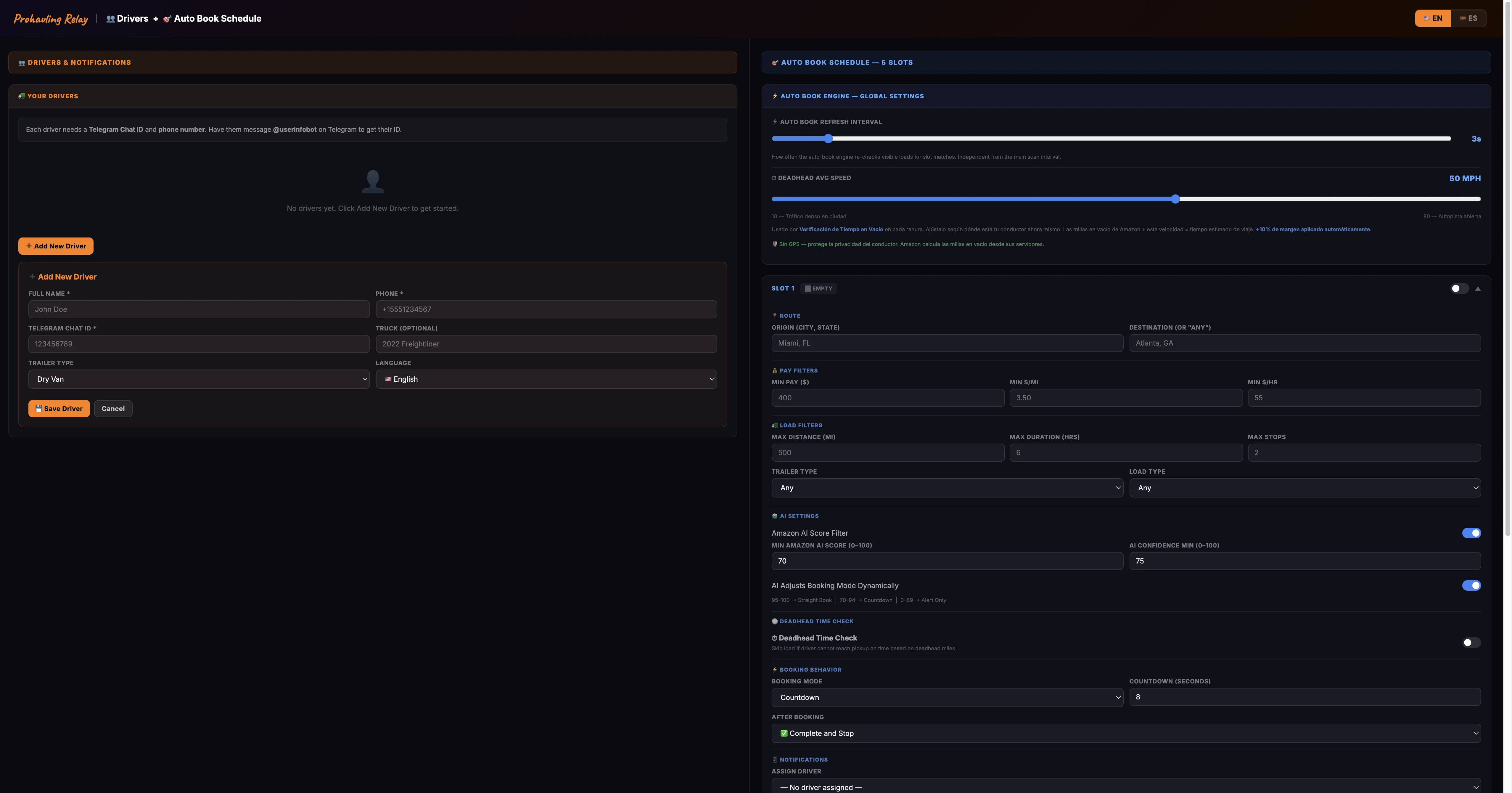
Open the extension and set your minimums: the lowest payout you'll accept, your minimum dollars per mile, the states you want to run from and to, and your equipment type. You can be as specific or as open as you want.
Step 2 — Set your countdown window
Choose how many seconds the extension waits before booking — anywhere from 3 to 30 seconds. When a good load shows up, a countdown starts on your screen. If you want to cancel, just click. If you don't — it books for you.
📅
Step 3 — Set your schedule (optional)
Only want it to book loads on weekday mornings? Set your work windows. Auto-booking only runs during those hours. Outside your schedule, it still alerts you — it just won't book without you there.
Step 4 — Turn it on and walk away
Flip the auto-booking switch, leave the load board open in Chrome, and you're done. The extension watches the board. When a load matches every filter you set, it opens it, waits for your countdown, and books it — no clicks needed.
📲
Step 5 — Set up your Telegram & phone alerts
Every qualifying load triggers all your alerts at once. Here's how to set them up:

Telegram: Open Telegram, search for @GetMyid_Bot and send it any message — it replies with your numeric Chat ID. Paste that ID into the extension settings. From that point on, every matching load sends you a message like this:
🚛 QUALIFYING LOAD — AUTO-BOOKED
💰 Payout: $2,840
💵 Rate: $5.82/mi  ·  $38.40/hr
📍 Pickup: 1400 S Kostner Ave, Chicago, IL 60623
🏁 Delivery: 2828 Merrell Rd, Dallas, TX 75229
📏 Distance: 487 mi  ·  Deadhead: 12 mi
⏱ Duration: 7h 22m
🕐 Pickup: 06:00 – 08:00  ·  Arrive by: 14:00
📦 Stops: 1  ·  Type: Dry Van
🗺 Open in Google Maps →
Phone call: Enter your driver's phone number in the Driver settings. When a load matches, the extension places an automated call that speaks the load details out loud — payout, route, and distance.

This is especially useful during late-night shifts. If a driver is monitoring loads but gets drowsy, the phone call acts as an alarm — it rings even when the screen is locked or the driver stepped away. A load worth $3,000 at 2 AM won't go unnoticed.
🔒
You're always in control
Auto-booking will never book a load that doesn't match your filters. The countdown window gives you time to cancel any booking before it goes through. You can turn it off with one click at any time.

Start free. Pay only when you're ready.

7-day free trial on every plan — no credit card required at sign-up.

Built by a driver, for drivers — we know what it costs to be stuck on the board.
Monthly
$ 49 .99
per month  ·  full access
  • Auto-booking with countdown cancel
  • 9-dimension real-time filtering
  • Telegram + phone call alerts
  • Voice announcements
  • Schedule / shift-hours module
  • Fleet & multi-driver profiles
  • 25 themes · English & Spanish

7-day free trial — no credit card required. Full access from day one. Cancel any time from the extension settings.

Common questions

We can't provide legal advice, and Terms of Service can change. Prohauling Relay automates actions you could perform manually — monitoring the load board and clicking Book. You are responsible for ensuring your use complies with any agreements between you and the platform. We recommend reading the current carrier agreement and using the tool in a way you're comfortable with.

Only loads that pass every filter you configure will trigger auto-booking. You set the minimum payout, minimum $/mile, origin and destination states, equipment type, and more. On top of that, every auto-book has a configurable countdown window (default 5 seconds) — if you see the alert and want to cancel, you have time to do so. You stay in control at all times.

Because Prohauling Relay intercepts raw API responses — not rendered HTML — it is completely independent of how the page looks. The load board's front-end can be fully redesigned and the extension keeps working. Only a change to the underlying JSON data structure of the API response itself would require an update. That type of change is far less frequent than a visual redesign, and when it does happen, an update is pushed quickly.

Yes. Prohauling Relay runs as a Chrome extension inside your browser. Your computer needs to be on and Chrome needs to have the load board open for the extension to monitor and auto-book loads. For overnight or unattended monitoring, many carriers leave a dedicated laptop running with Chrome open to the load board.

Yes. The fleet management module lets you create multiple driver profiles, each with its own independent filter configuration, Telegram notification target, phone alert numbers, and schedule windows. Switch between active driver profiles with one click. One license covers all your profiles on the same installation.

Yes — completely free, no credit card required to start. You get full access to every feature for 7 days. At the end of the trial, you can choose a Monthly or Yearly plan to continue. If you don't subscribe, the extension simply stops working — there are no surprise charges.

While you sleep, Prohauling Relay scans Amazon Relay every 5 seconds. When a load matches your filters it books it automatically, calls your phone to wake you up, and sends a Telegram message with the full load details — pickup address, delivery address, pay, rate per mile, distance, and a Google Maps navigation link. You wake up, read the message, and get in the truck. Already booked.

No. The dispatcher sets up the schedule slots from the office. The driver only needs their phone. When a load is booked, the driver gets a phone call and a Telegram message with everything they need to know. No laptop, no Amazon login required.

When a load is booked automatically, Prohauling Relay immediately calls the driver's phone number. The call is the wake-up alarm. The driver picks up, hears the alert, and checks their Telegram message for the full load details.

The Telegram message includes everything the driver needs: full pickup address with a Google Maps navigation link, full delivery address, total pay, rate per mile, pay per hour, distance, deadhead miles, trip duration, pickup time and arrival window, number of stops, load type, and fuel or toll charges if applicable.